Product Grid Optimisation

Product Grid
Optimisation

Product Grid Optimisation

Product Grid Optimisation
OVERVIEW

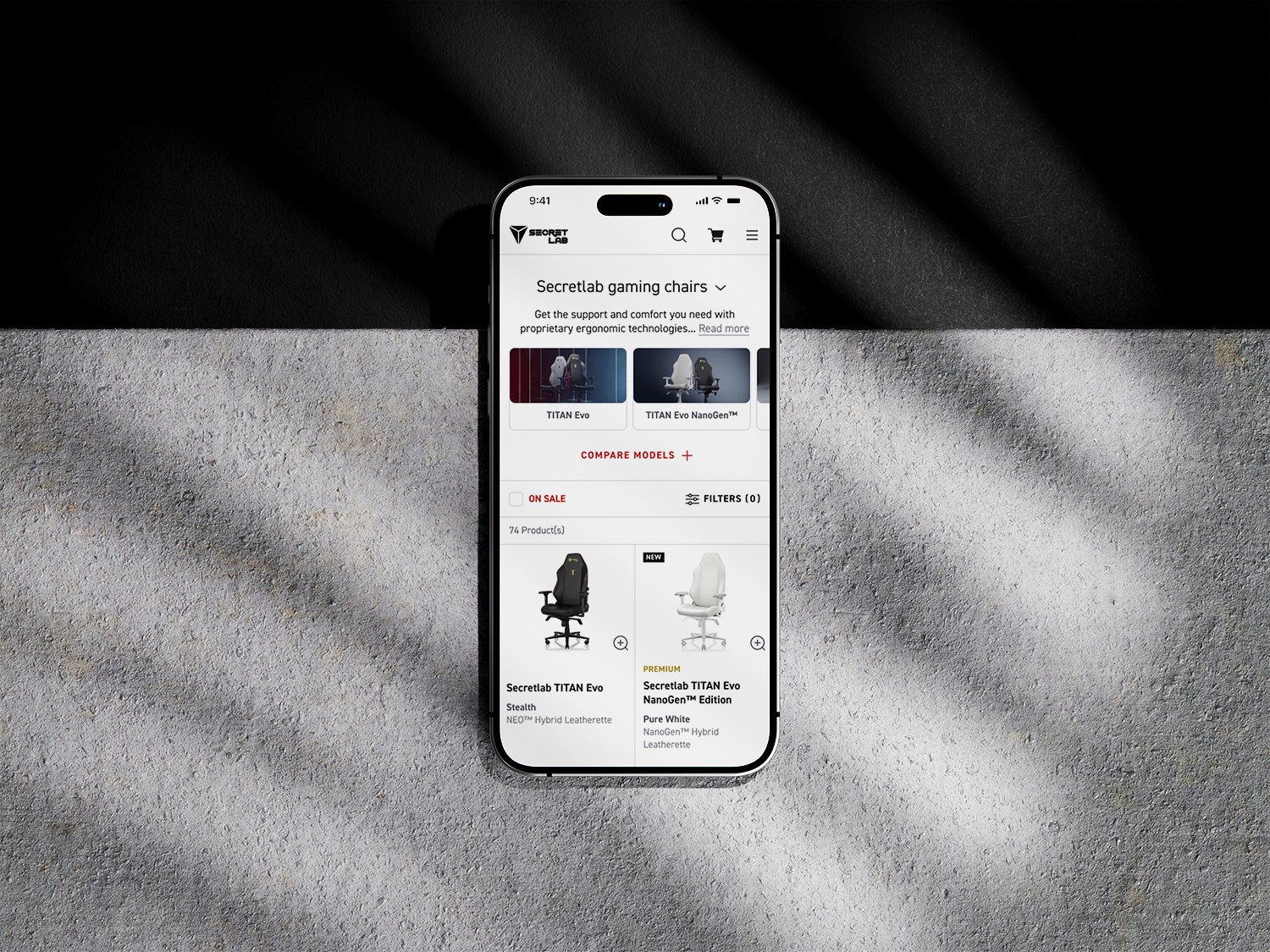
A re-design of existing pages to supplement the pre-purchase product comparison phase, as well as make the browsing and purchase experience more accessible for mobile users.
ROLE

ROLE

Senior UI/UX Designer

Senior UI/UX Designer

DISCIPLINES

DISCIPLINES

UI/UX, user research

UI/UX, user research

Key Results

Key Results

Key Results

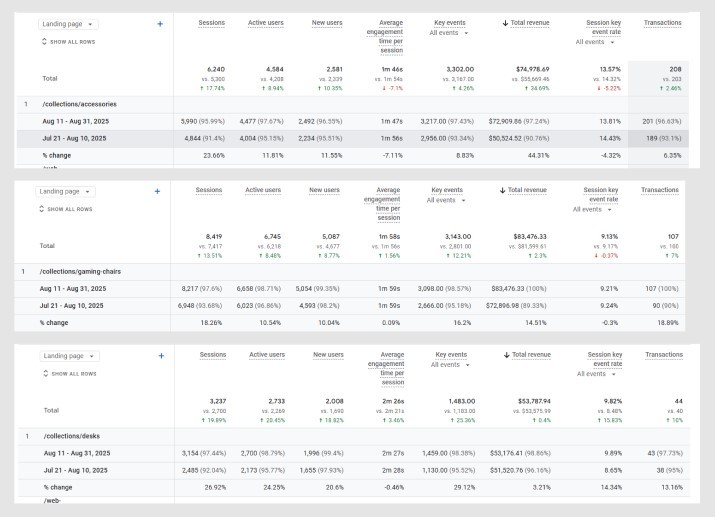
+35%

+35%

+35%

average increase
in key events

average increase
in key events

+20%

+20%

+20%

average increase
in total transactions

average increase
in total transactions

+13%

+13%

+13%

average increase
in active users

average increase
in active users

-18%

-18%

-18%

average decrease
in exit rates

average decrease
in exit rates

The Challenge

The Challenge

The Challenge

Purchasing Secretlab's chairs and desks can be quite different from purchasing regular furniture, in that most of the product differences lies in its technical specifications and functions rather than its form - similar to purchasing a phone or PC. With the launch of several new chair and desk models since its inception, users at Secretlab are required to understand and compare between many different model types to confidently make a purchase.

The site has also seen an increase in mobile users over time, but the grid pages were not designed with a mobile-first approach.
RESEARCH

DESIGN

USER TEST & REITERATE

POST-LAUNCH

Research
Phase

Research Phase

Research
Phase

Target Users

Target Users

Target Users

  • New users

  • Users who have not made a purchase

Methods

Methods

Methods

  • In-person interview 

  • Online tools for site-specific real-time data (HotJar, Google Analytics)

  • Competitor analysis

  • E-commerce research guidelines (Baymard Institute)

Goals

Goals

Goals

  • Examine how users are using the current journey

  • Identify the strengths & pain points of the current journey

  • Discover and assess potential solutions by competitor or adjacent brands

We first started with in-person qualitative interviews using the live website where we could observe the user's actions and gather real-time feedback behind certain decisions.

We then cross-analysed the gathered feedback with online data tools to verify if these problems were occurring on a larger scale.

Identified Pain Points

Identified Pain Points

Identified Pain Points

  • Lack of product education

  • Lack of comparison tools

  • Unoptimised mobile experience

    • Hover-over view where users are able to see additional product images was omitted on mobile

    • On-sale sizes was omitted on mobile

Jobs to be done

Jobs to be done

Jobs to be done

  1. How might we educate users on key product differences at the appropriate step in their shopping journey?

  1. How might we improve the mobile user experience?

RESEARCH

DESIGN

USER TEST & REITERATE

POST-LAUNCH

Design
Phase

Design Phase

Design
Phase

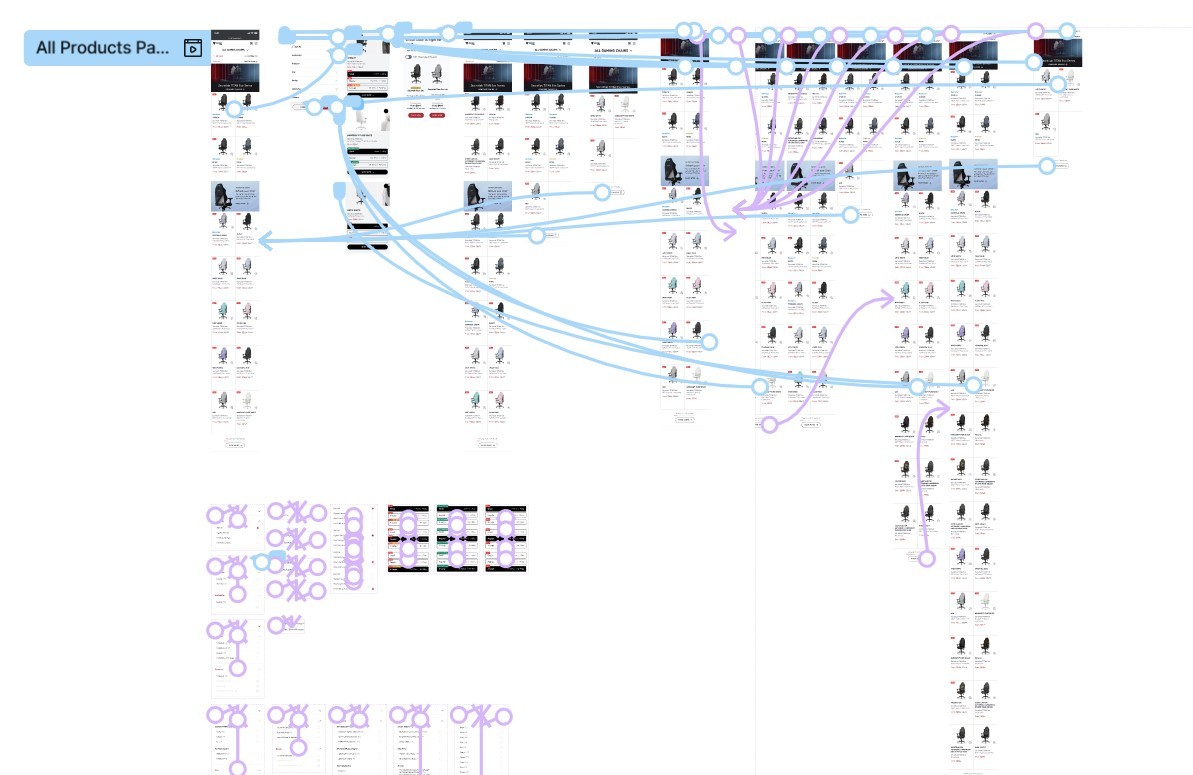
Using the information gathered in the user research, I designed solutions targeting the major pain points. While there were numerous changes that were made, listed below are select optimisations.

Image filters & compare models chart

Image filters & compare models chart

Image filters & compare models chart

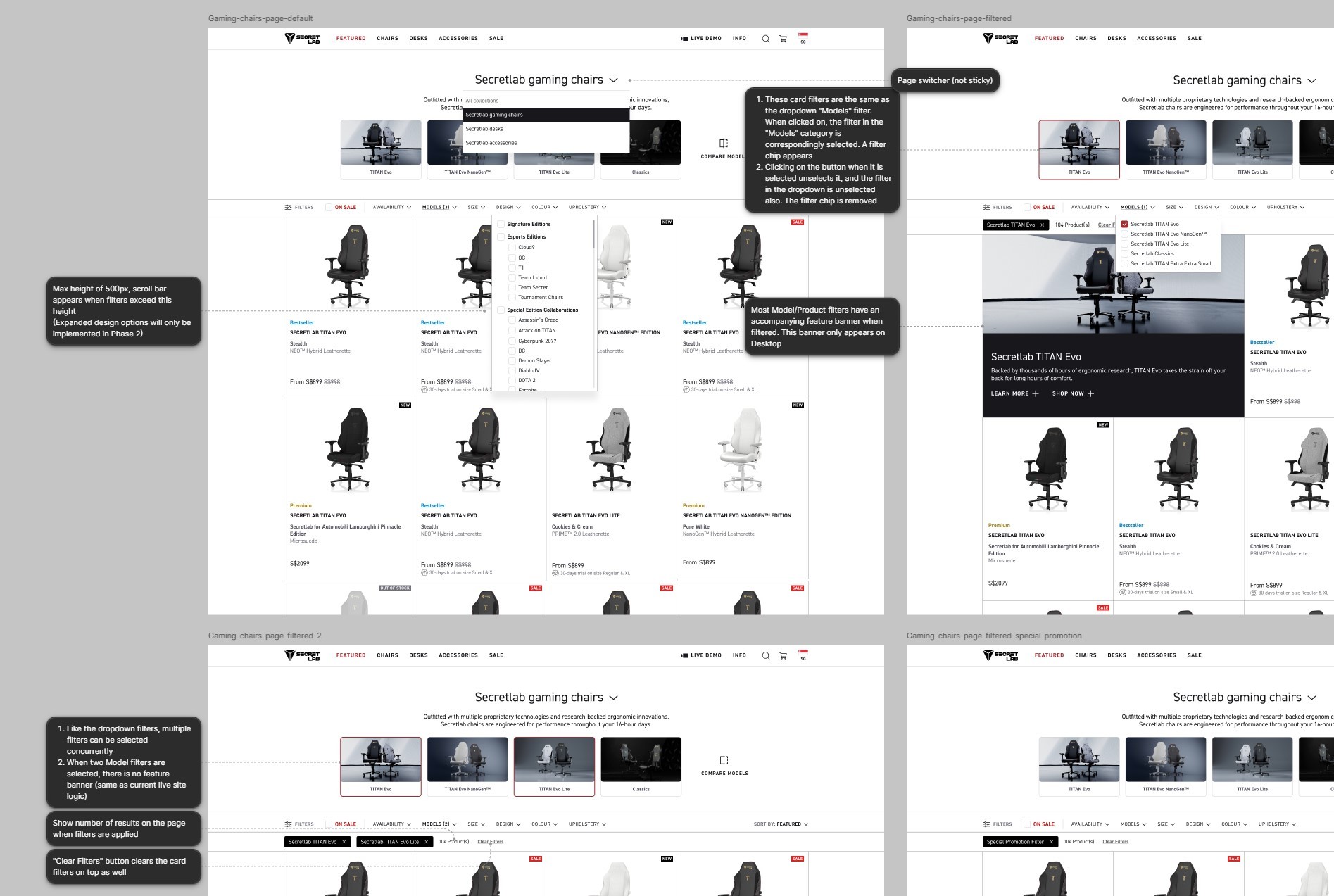
In our research phase, we found that a large proportion of users expressed confusion about the models on this page, with multiple users failing to recognise that there were several different chair or desk models being offered.

Furthermore, users who recognised that there were different models were unable to find the differences between the models effectively, forcing them out from the main purchasing journey to find information. Some expressed that they might also drop out of the site entirely to find comparison reviews on other websites.

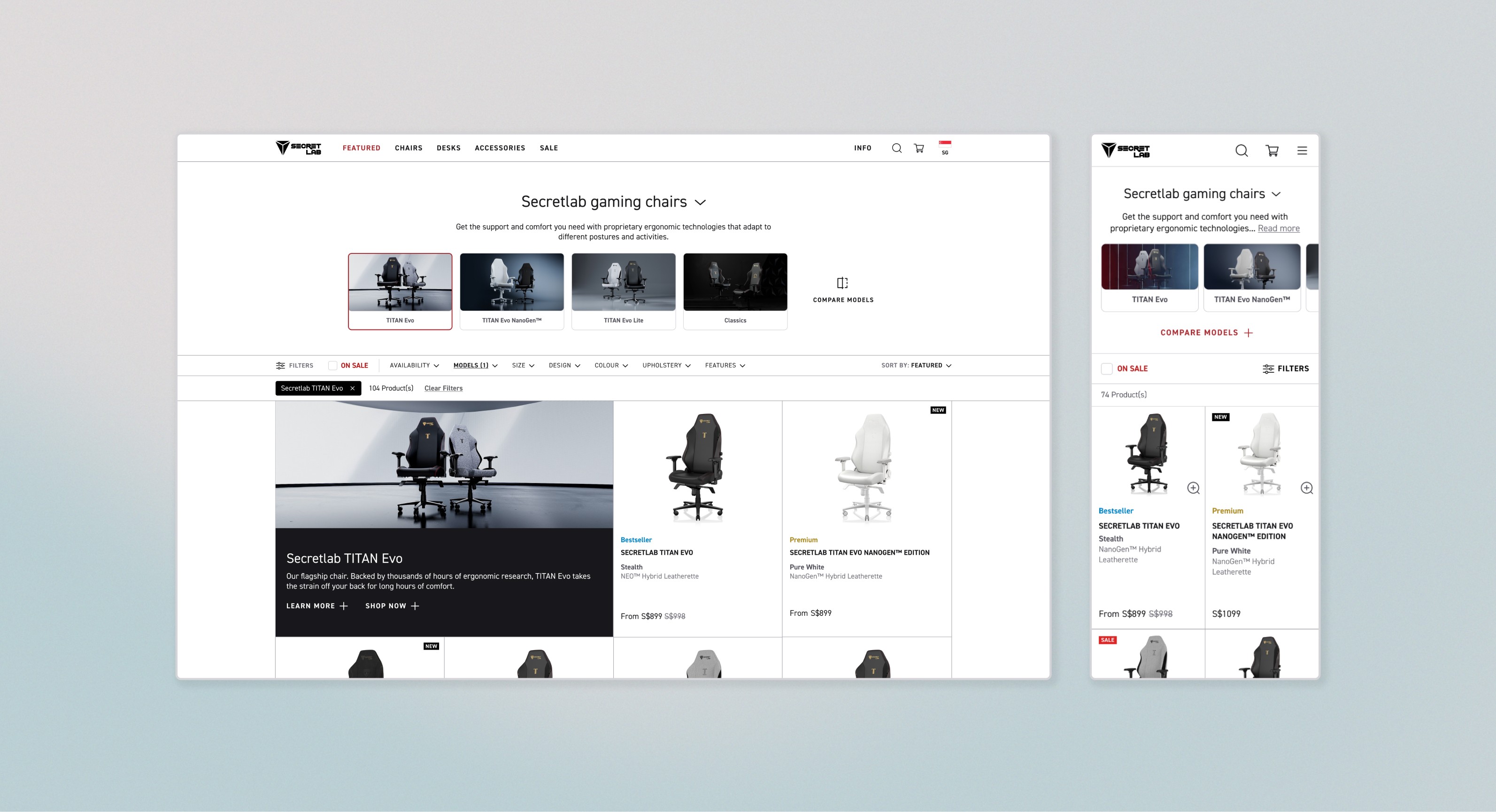
To tackle this problem, I designed image filters and accompanying introductory banners at the top of the page. The existing compare models chart was also optimised and made easily accessible on this page.
Quickview (Mobile)

Quickview (Mobile)

Quickview (Mobile)

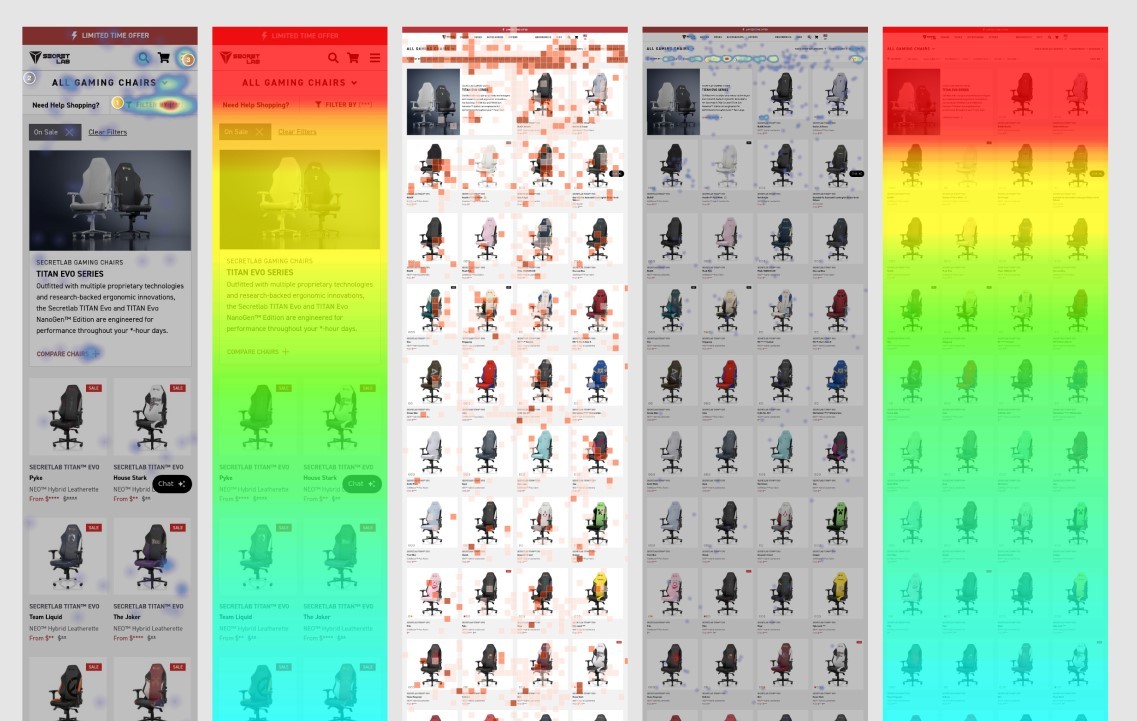
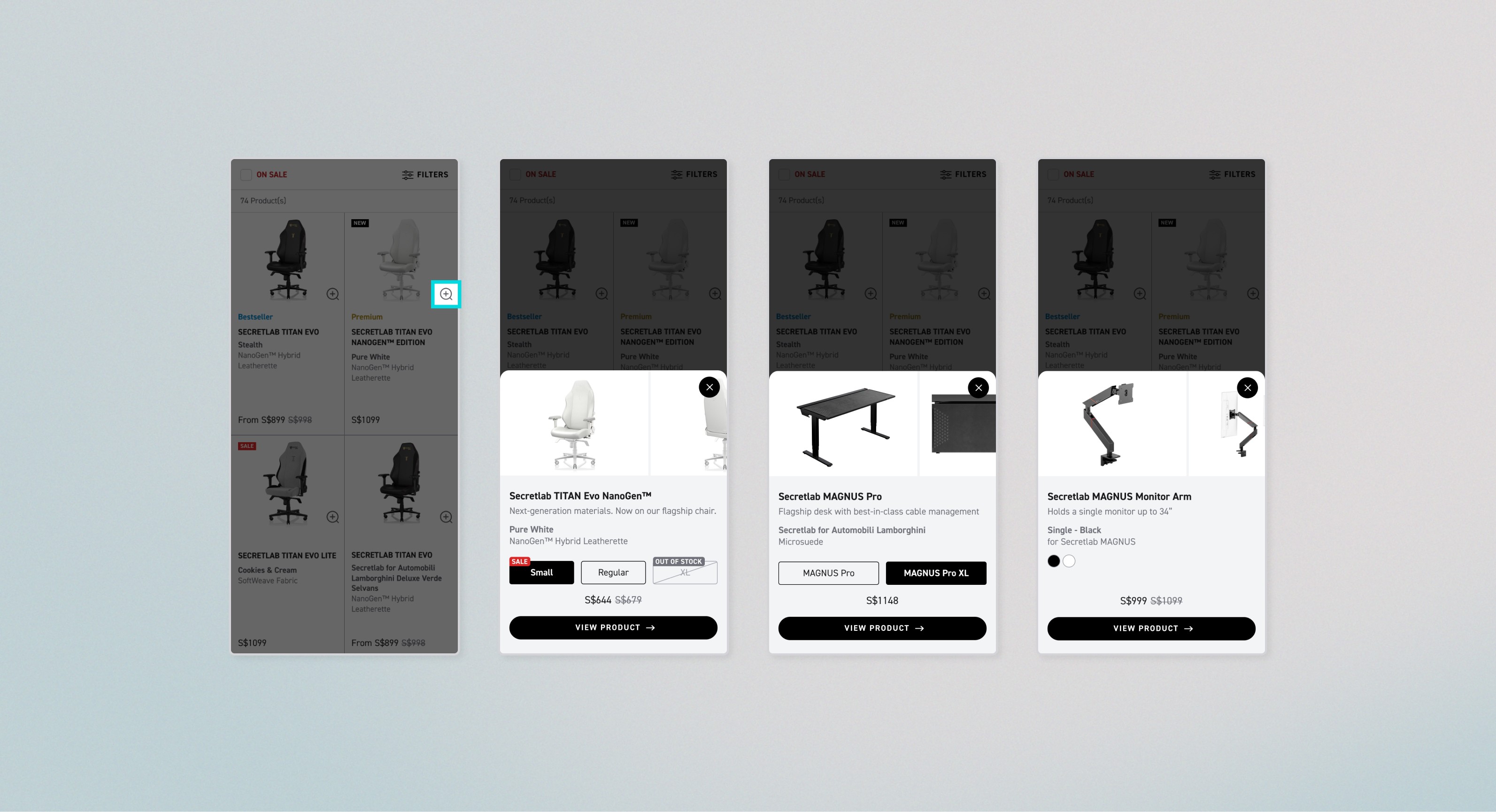
In many HotJar recordings, we found that a large proportion of users on mobile were entering the product page multiple times just to view more product images before returning to the grid page — an action that is exceedingly cumbersome on mobile.

Corroborating with the above, our in-person interviews revealed that participants would rather drop off the mobile site and return at a later time on the desktop site for a more pleasant browsing experience. This was a significant problem as the site sees a majority of its new users through mobile.

I designed a quickview drawer specifically for mobile to facilitate the mobile browsing experience.
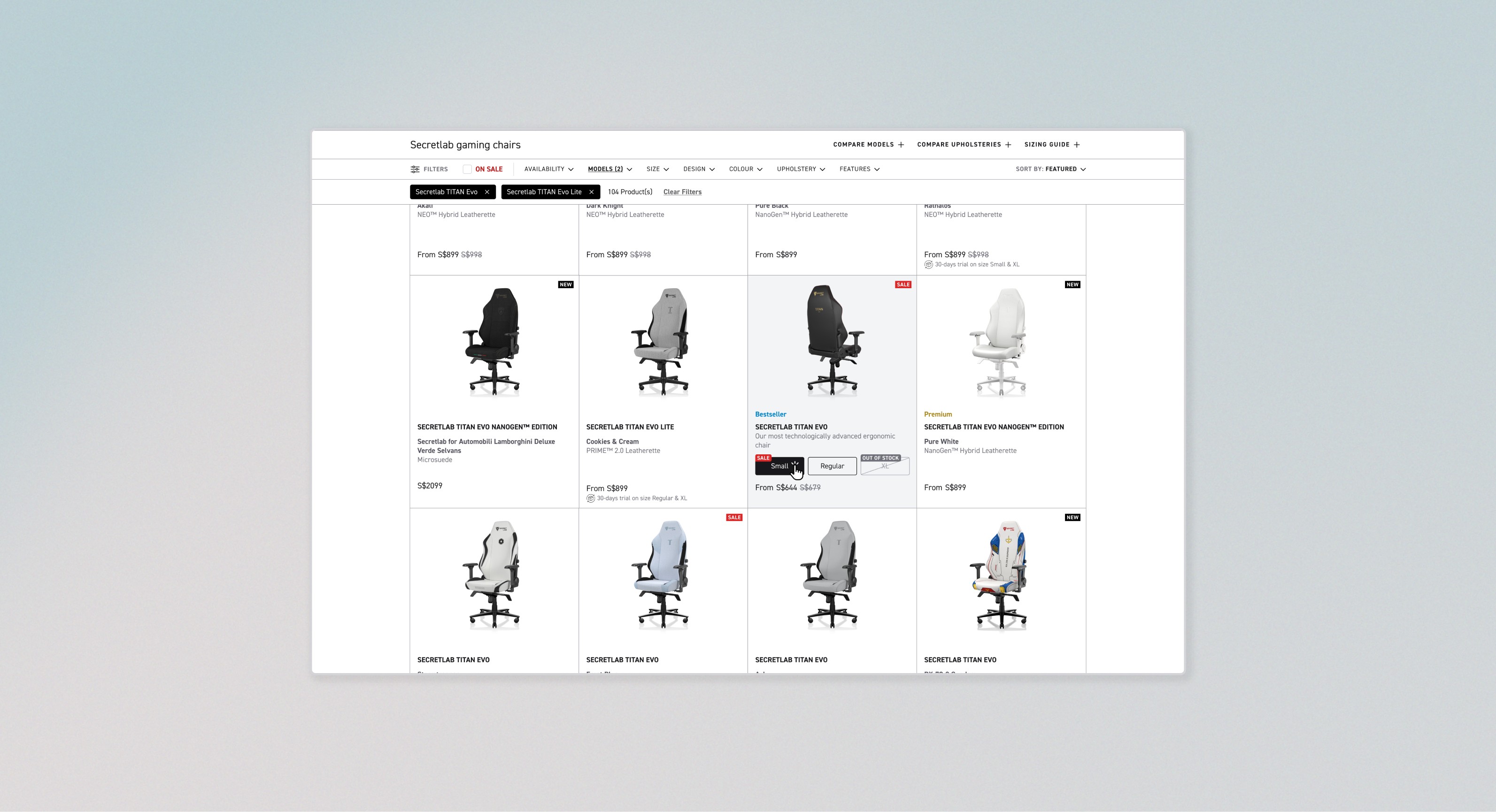
Size-specific prices on hover (Desktop)

Size-specific prices on hover (Desktop)

Size-specific prices on hover (Desktop)

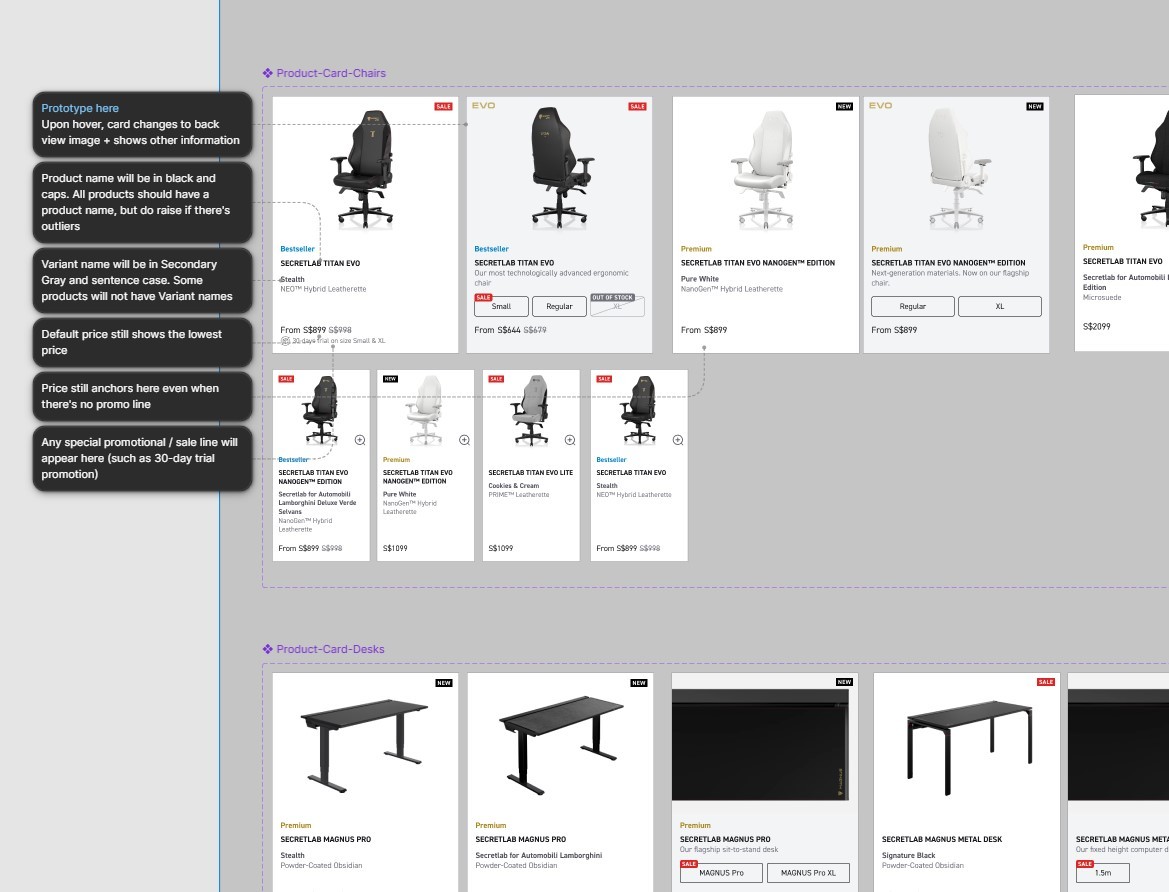
The last major optimisation involves a rather unique problem to Secretlab's products. Secretlab's chairs, desks and accessories not only come in many different variants of the same model — they also come in several different sizes at different price points, and these sizes can go on sale independently from each other. In our user interviews, users also expressed frustration at the price on the product page being different from what they see on this page.

An improved design was needed to accurately convey size-specific sale prices while not overwhelming the user with information at first glance. I employed a information-when-you-need-it approach to this optimisation, nestling these added info inside a hover-over interaction so that users are easily able to get the information they need only when they actively seek for it.
RESEARCH

DESIGN

USER TEST & REITERATE

POST-LAUNCH

User Test &
Reiterate
Phase

User Test & Reiterate Phase

User Test &
Reiterate
Phase

Methodology

Methodology

Methodology

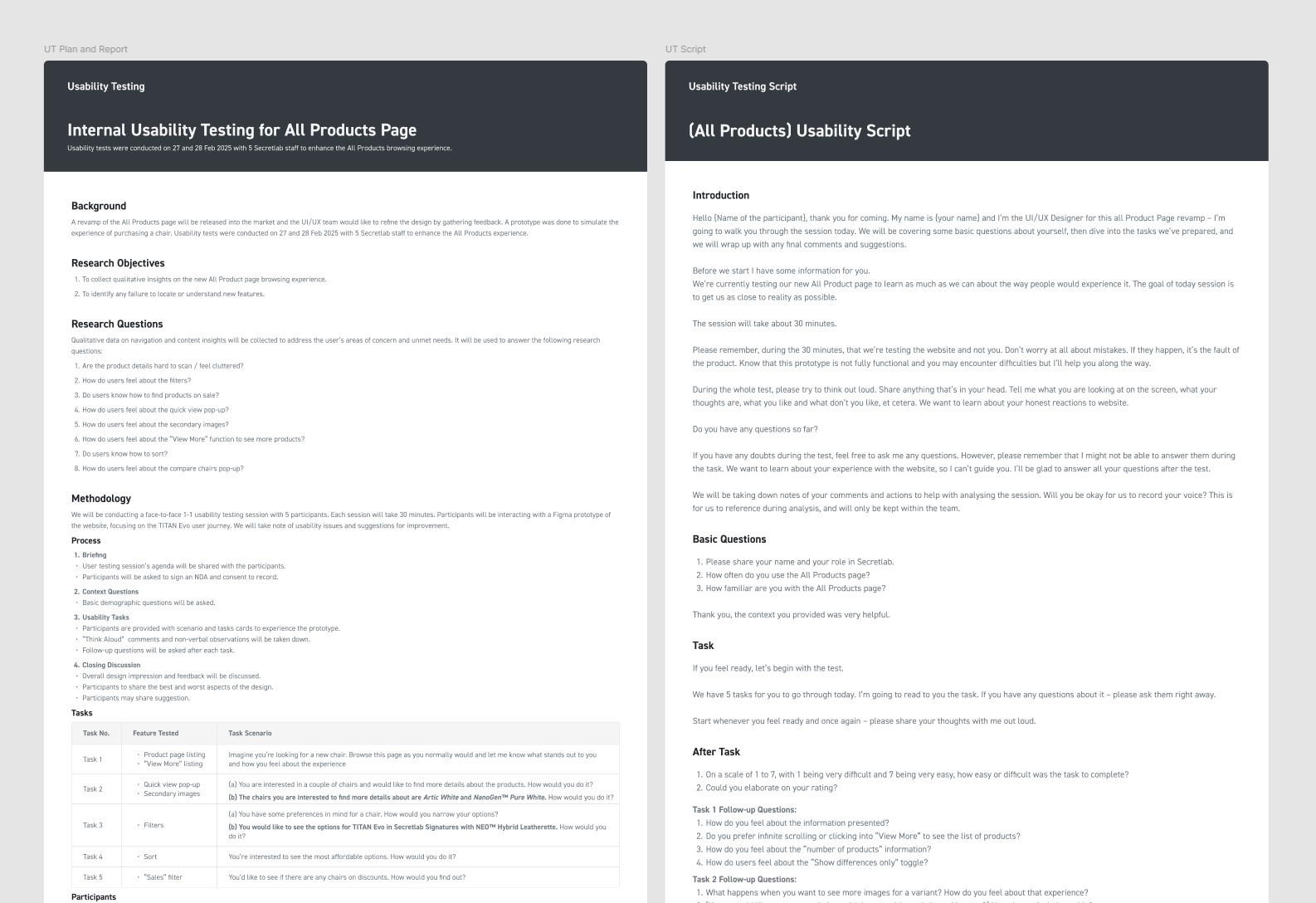
We conducted a face-to-face usability testing session with 5 participants. Due to confidentiality these participants were company staff, however we chose participants who were largely unfamiliar with our website. Participants were invited to perform a series of tasks on our prototype with a mobile phone, each session lasting 30-40 minutes. Any verbal and non-verbal indications of usability issues and suggestions for improvement were recorded.

Key Findings & Design Recommendations

Key Findings & Design Recommendations

Key Findings & Design Recommendations

Key findings across participants were sorted into buckets and solutioning was prioritised according to UX severity. UX severity is defined according to three factors - Impact, Frequency and Persistence. Below are the details of findings that were of "Severe" or "Significant" severity. The prototype was further refined based on the recommendations.

No.

Findings

Severity

Recommendation

1

Compare chairs Pop-up
3 participants did not notice the “Compare chairs” button as it blends with the banner design

Severe

Take the “Compare chairs” button out of the image/banner.
Style the link as a button.

2

Filter Labels
All the users express confusion and frustration with the complex product naming conventions and filter options

Severe

Provide explanation for complex names.
Rewrite names to be laymen friendly.

3

Information on All Products
4 users were unsure about the differences between the various chair models, and what features or qualities justify the price differences

Significant

Include a liner to explain the model difference or display the key feature differences.

4

“Show Differences Only”
3 out of 5 users did not notice any difference upon clicking “Show differences” only

Significant

Increase relevance and visibility of the button by putting it just before the list of differences.

5

Quick-view drawer
3 users misunderstood the interaction of “Shop Now”. They assumed it would bring them through the check out flow

Significant

Change label to “View Product”.

No.

Findings

Severity

Recommendation

1

Compare chairs Pop-up
3 participants did not notice the “Compare chairs” button as it blends with the banner design

Severe

Take the “Compare chairs” button out of the image/banner.
Style the link as a button.

2

Filter Labels
All the users express confusion and frustration with the complex product naming conventions and filter options

Severe

Provide explanation for complex names.
Rewrite names to be laymen friendly.

3

Information on All Products
4 users were unsure about the differences between the various chair models, and what features or qualities justify the price differences

Significant

Include a liner to explain the model difference or display the key feature differences.

4

“Show Differences Only”
3 out of 5 users did not notice any difference upon clicking “Show differences” only

Significant

Increase relevance and visibility of the button by putting it just before the list of differences.

5

Quick-view drawer
3 users misunderstood the interaction of “Shop Now”. They assumed it would bring them through the check out flow

Significant

Change label to “View Product”.

No.

Findings

Severity

Recommendation

1

Compare chairs Pop-up
3 participants did not notice the “Compare chairs” button as it blends with the banner design

Severe

Take the “Compare chairs” button out of the image/banner.
Style the link as a button.

2

Filter Labels
All the users express confusion and frustration with the complex product naming conventions and filter options

Severe

Provide explanation for complex names.
Rewrite names to be laymen friendly.

3

Information on All Products
4 users were unsure about the differences between the various chair models, and what features or qualities justify the price differences

Significant

Include a liner to explain the model difference or display the key feature differences.

4

“Show Differences Only”
3 out of 5 users did not notice any difference upon clicking “Show differences” only

Significant

Increase relevance and visibility of the button by putting it just before the list of differences.

5

Quick-view drawer
3 users misunderstood the interaction of “Shop Now”. They assumed it would bring them through the check out flow

Significant

Change label to “View Product”.

Final shipped design

Final shipped design

Final shipped design

[password: sl-app]

RESEARCH

DESIGN

USER TEST & REITERATE

POST-LAUNCH

Post-Launch Phase

Post-Launch Phase

Monitoring & Next Steps

Monitoring & Next Steps

Monitoring & Next Steps

Post-launch, we monitored the pages at 2 weeks and 1 month intervals to ensure that there were no unintended bugs and to catch any oversights concerning the user experience.

Monitoring tools were also used to track how users at scale were interacting with the new implementations, and to inform any further optimisations.